Look ahead
Planning and agreements
Plan trips and charters on the timeline, spot conflicts and keep rates, periods and charterers with the work they belong to.
For skippers who set their own course
Trips, time charters, fuel, surveys, invoices and shipboard documents in one administration. Record your trip details at the time and in the way that suit you; Vessia calculates, completes your documents and sends your invoice.
Vessia was developed in close collaboration with an inland skipper.
From your trip data to draught survey, unloading slip, weekly sheet, invoice and sent email. All in one place.
Sound familiar?
Trip details scattered across calendars, notes, files, invoices and forms waste time and are easy to lose track of. Here is how Vessia handles it:
Without Vessia
Copying the same trip details into your administration, invoice and the charterer’s form
With Vessia
You record the trip details once; Vessia reuses them for your invoice, forms, consumption and accompanying email
Without Vessia
Searching calendars, notes and scraps of paper to find when, for whom, where and how much you loaded
With Vessia
Every loaded trip gets an automatic number. Search by cargo, place, number or charterer, or filter by period and status
Without Vessia
Filling in the same charterer form again for every single voyage
With Vessia
You point out once where the data belongs; after that Vessia completes your own PDF or Excel every time
Without Vessia
Sorting out invoices at the end of the month and adding up trips, tonnage and fuel consumption yourself
With Vessia
Your dashboard shows what is ready to invoice and what is outstanding; per period you see trips, tonnage, revenue and consumption added up
How it works
A trip or time charter is not a standalone form. Its agreements, planning, cargo, surveys, fuel, documents and invoice belong together. In Vessia, they stay together.
What you record
Record details on board straight away or update them later. The route, agreements and everything that happens underway stay with the right trip or charter.
What Vessia does with it
Look ahead
Plan trips and charters on the timeline, spot conflicts and keep rates, periods and charterers with the work they belong to.
Let Vessia calculate
Your calibration table calculates the cargo; Vessia adds the fuel consumption and the agreed fuel surcharge automatically.
Reuse
Create unloading slips, bills of lading and other PDF or Excel forms from your own template, using information Vessia already knows.
Finish the job
Turn trips or a charter into a draft invoice you can check, then send the finalized PDF with attachments directly from Vessia.
Everything on board
Charters, shipboard documents, surveys and the business car each have their own place in the same administration.
Record a charter with its day rate, period and fuel compensation. Log the trips underneath it and invoice long periods in parts whenever it suits you.
Keep documents with the right trip and retain previous versions. Fill PDFs with text, marks, images or a signature and send completed documents directly from Vessia.
Import displacement and hold volume tables, calculate with the readings you take on board and deliver a neat survey report with your own logo and signature.
Upload dashboard photos: Vessia reads the odometer, calculates the distance and prepares draft car trips. Download a complete annual overview per vehicle.
Keep contacts, invoice address and payment term per charterer, ready the moment you create a trip or invoice.
Track revenue, tonnage, trips, distance and fuel consumption for the period you choose, and see on the dashboard what needs attention today.
Take a look
No sales mock-ups with imaginary screens. This is the app you will actually use.
Your current trip, work ready to invoice, outstanding amounts and the next trips on your schedule.
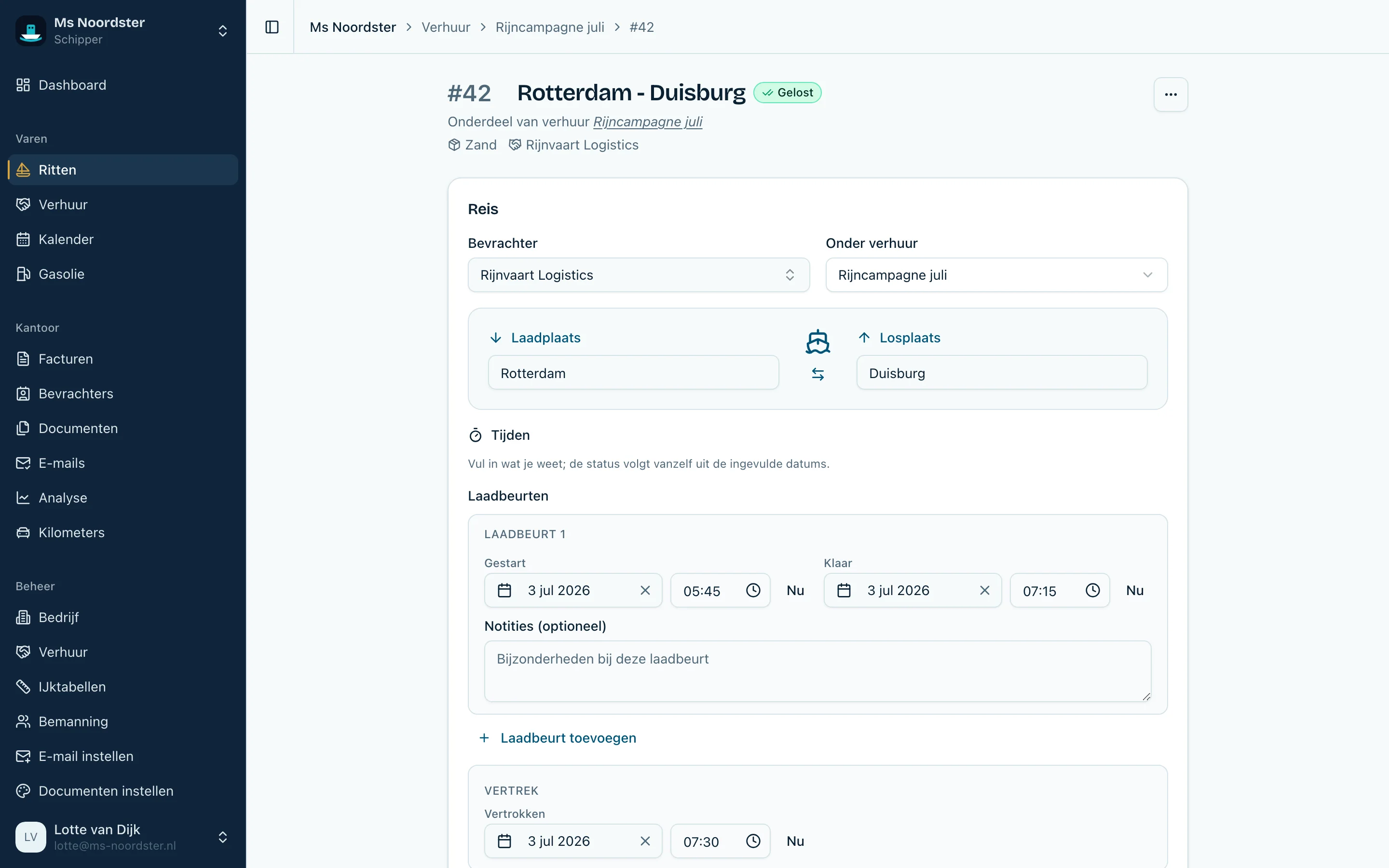
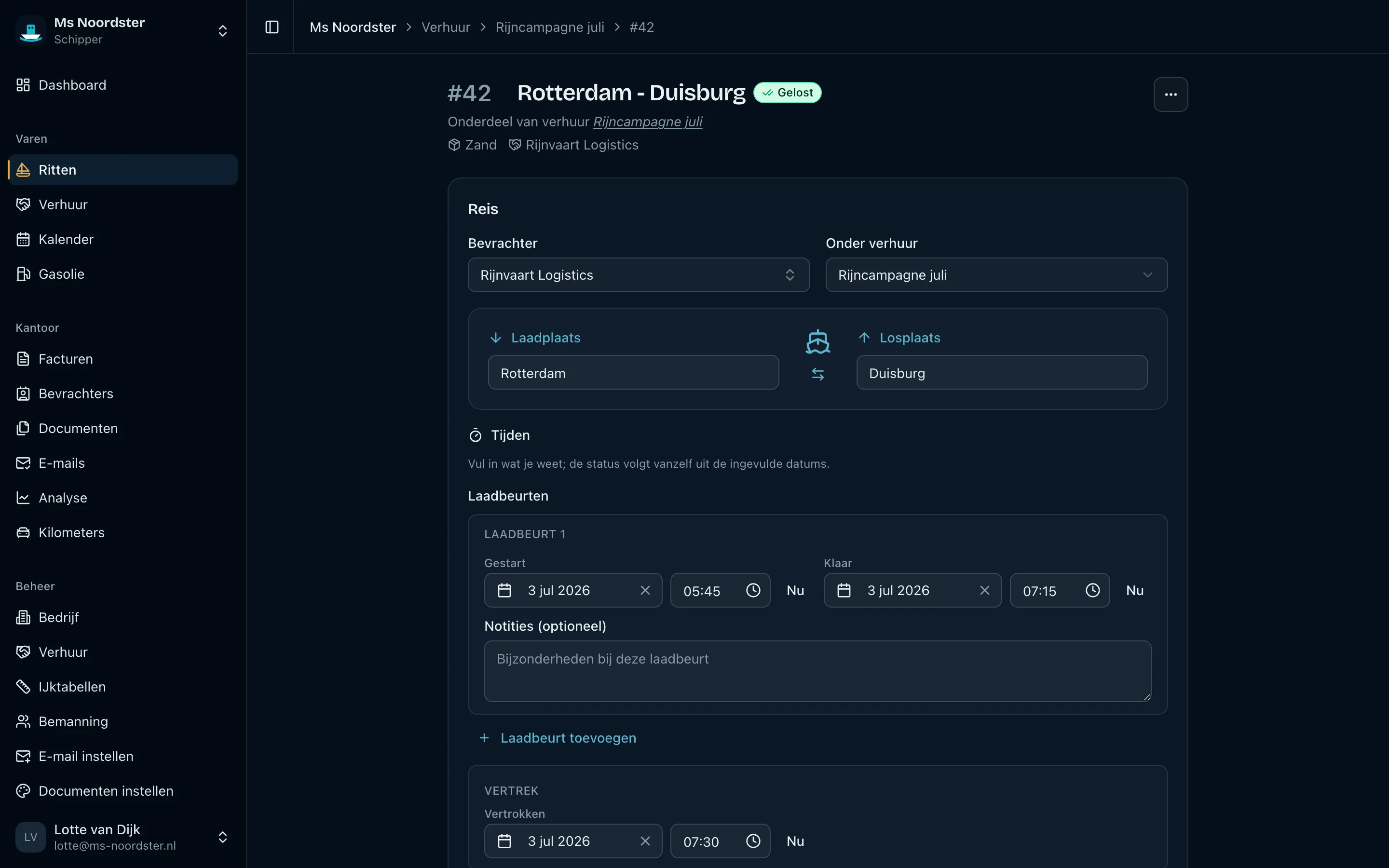
Loaded trips and empty voyages with route, charterer and current status, from planned to discharged.
From planning and cargo moments to surveys, fuel, documents and invoicing: every detail stays with the same trip.
Active and completed time charters with their day rate, duration and underlying trips.
Review agreements, extra fuel, underlying trips and the proposed invoice amount in one place.
Planned and actual trips over time, with a clear colour for every stage.
See consumption per trip, bunkering entries and monthly totals based on your own counter readings.
See which invoices are drafts, issued, sent or paid and which trips they cover.
See when invoices and voyage documents were sent, to whom and with which attachments.
Invoice address, contacts and payment term are ready when you create a trip or invoice.
Give crew, colleagues and your bookkeeper exactly the access their work requires.
PDF and Excel forms that Vessia completes for a trip, week, year, custom period or charter.
Configure invoices, survey forms, hold certificates and signatures together in one clear place.
Use reusable email copy and send from a verified address on your own domain.
Track revenue, tonnage, trips, consumption and payment behaviour for the period you choose.
Import displacement and hold volume tables and calculate with the readings taken on board.
Upload dashboard photos, check the recognized odometer readings and create a complete annual overview per vehicle.
Create an account, add your vessel and enter your next trip. You will know right away whether Vessia suits you.
Start 30 days freeWell arranged
Serious security without hassle, built to comply with the GDPR. And your data stays yours.
Sign in with a passkey (fingerprint or face) or two-factor authentication with recovery codes.
See which devices are signed in and revoke a session whenever you want.
Your bookkeeper sees invoices and charterers; your deckhand sees trips and surveys without financial data. Each has suitable permissions.
Download all your data whenever you want. No fine print, no vendor lock-in.
Pricing
Every feature is included and you can add as many vessels as you need.
Introductory price
per month, unlimited ships · excl. VAT
Start 30 days freeFirst 30 days free, no payment details. Then the introductory price, cancel monthly.
Everything included
FAQ
Yes. Vessia runs in your browser on phone, tablet and laptop. You do not need to install anything, and what you enter on board is instantly available ashore too.
For each trip you record the agreement: an amount per ton, per cubic metre of fuel consumed or a fixed amount for an empty voyage. Vessia calculates the line and proposes it on your draft invoice. It does not fetch an external fuel price.
Yes. Per invoice you choose 21% Dutch VAT, reverse charge or outside the scope. The correct calculation and wording appear on the PDF automatically.
Yes. Upload your existing PDF or Excel file and point out once where the information belongs. Vessia preserves its layout and completes it for a trip, week, year, custom period or charter. You add any manual fields and signatures yourself.
Yes. Store files with the right trip, including previous versions. In Vessia you can add text, marks, images and a saved or freshly drawn signature to PDFs. Send completed forms and manually uploaded trip documents from Vessia, either per trip or for a selected period.
Yes. Upload one or more dashboard photos. Vessia reads the total odometer, prepares consecutive photos as draft car trips and calculates the distance. If the photos contain a location, Vessia fills in the departure and destination. Without a location, you add the route and reason yourself. You check or correct every reading and can then download an annual mileage overview as a PDF.
Yes. You invite someone with their own role per ship. Your bookkeeper can access invoices and exports, while a colleague only sees what their work needs.
Yes. Vessia is built around GDPR requirements. Your data stays yours: you can view it, export it or request deletion at any time.
Vessia supports passkeys, two-factor authentication, recovery codes and session management. With roles per ship, you decide who may see which data.
No. You pay one monthly account price and can add as many ships as you need. Bookkeepers and colleagues are invited for free with their own role.
Yes. You try Vessia free for 30 days and are not tied to anything after that. You can cancel monthly and export your data at any time.
Very little. You add your vessel, enter your regular charterers and start with your next trip. There is no old administration to migrate: Vessia simply runs alongside what you use now until you are convinced.
Yes. Choose a charterer and start with manual invoice lines. You can arrange and add to those lines yourself; numbering, VAT, PDF layout and sending then work just like an invoice from trips or a charter.
Yes. Send a finalized invoice from Vessia to one or more email addresses registered for the charterer. The invoice PDF is attached by default; you can add extra attachments and use your own email template and verified sender. The exact message and attachments remain available in the delivery history.

Behind Vessia there is no call centre but one builder, developing the app together with an inland skipper. Ask your question or tell us what you are missing; you get an answer from the person who can actually change it.
Add your vessel, create your first trip and see how much retyping you can avoid. Try Vessia free for 30 days, then cancel monthly whenever you want.